Audio & video import
Drop in common audio or movie files. Transcribe several files in sequence, with a local media copy saved for reliable processing.
Transcribe recordings, live meetings and video on your Mac - with local AI, speaker detection, editable text and professional exports.
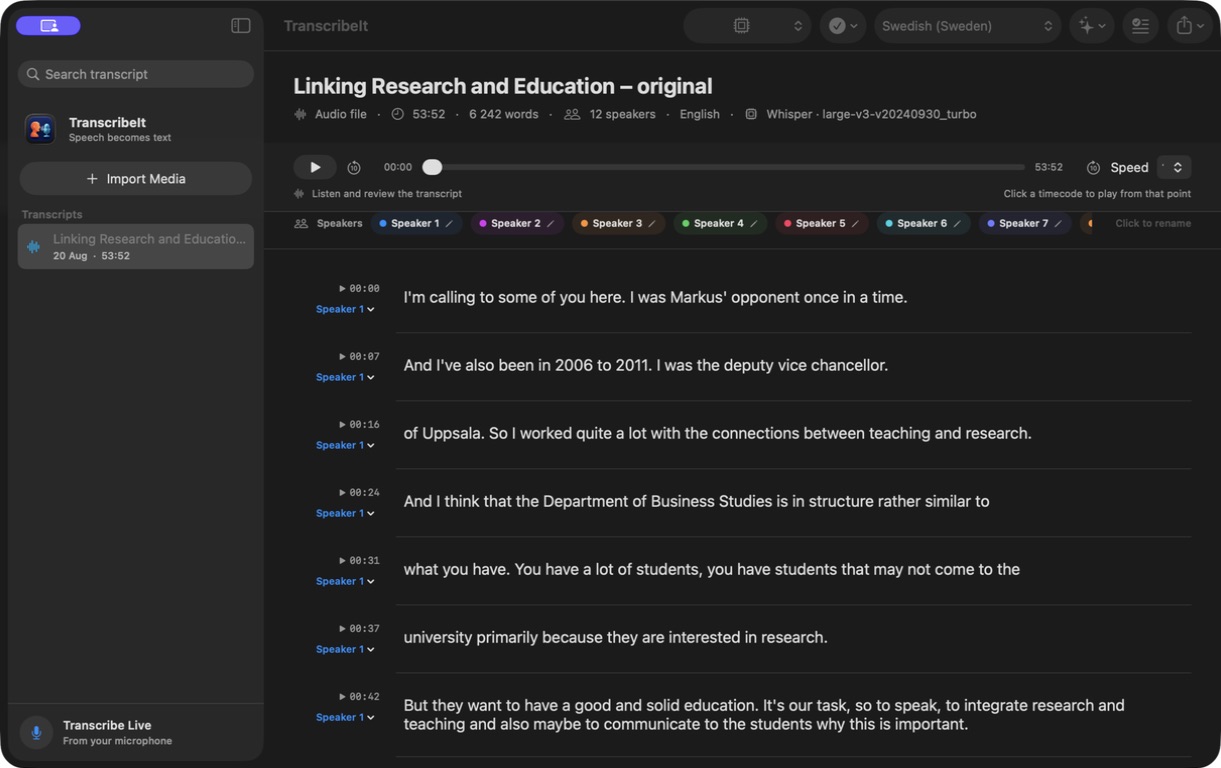
Audio files • Live meetings • Video • Multiple speakers • Local AI
Explore the real interface. Every screenshot comes from the full app.
Click any timecode to hear the exact moment, slow playback down, edit the text inline and rename every speaker. For video, the player and transcript follow each other in both directions.
Capture, verify, improve and deliver - without moving sensitive recordings between services.
Drop in common audio or movie files. Transcribe several files in sequence, with a local media copy saved for reliable processing.
Record from the microphone, see live progress, press Stop and let the app complete a higher-quality final pass.
Use a known source language for stability or let Whisper detect it automatically. Swedish, English and German are first-class workflows.
Start with macOS speech recognition or download a local Whisper model for consistent multilingual transcription.
The app is lightweight. Download only the engines you want, use them without API credits, and remove them whenever you need the disk space back.
Local speech-to-text. Pick speed, size or maximum accuracy.
Model sizes are approximate. Chatterbox and its local engine require several GB. Chatterbox is strongest in English; Swedish and other languages remain experimental.
Whisper, Gemma, SpeakerKit, Kokoro and Chatterbox run on your Mac after download. No API key. No credit meter. No routine upload of your transcripts.
Text, rich text and Word files that open cleanly in the tools you already use.
SRT and WebVTT with segment timing, plus JSON for structured workflows.
Word, PDF or complete LaTeX for polished reports and Overleaf projects.
Archive the original M4A or create multi-voice audio from your corrected text.
TranscribeIt Local was built through an extended, hands-on collaboration with ChatGPT Work on macOS - from the first native Swift interface to live transcription, local models, audio synthesis, exports, testing and release packaging.
ChatGPT helped build the product. It is not required to run the app, and the local workflows do not consume ChatGPT API credits.
The full TranscribeIt Local 1.0 app with every feature enabled. The DMG is small because large Whisper, Gemma, SpeakerKit, Kokoro and Chatterbox models are downloaded on demand inside the app.
An Apple Silicon Mac running macOS 14 or later. More memory helps with the largest transcription, AI and neural voice models.
Yes, after your selected models have been downloaded. Internet is needed for initial model downloads. Apple system features depend on what your macOS version supports locally.
Yes. Imported video can remain visible while you review. Text seeks the movie, and the current movie position can jump back to the corresponding transcript row.
Yes. Text rows, speaker assignments, speaker names and transcript titles are all editable. You can also delete incorrect segments and run selective AI proofreading.
Download the DMG, open it and drag TranscribeIt Local to Applications. On first use, allow microphone and speech-recognition access when macOS asks.
Download the complete Mac app. Add only the local models you want from its built-in model library.